
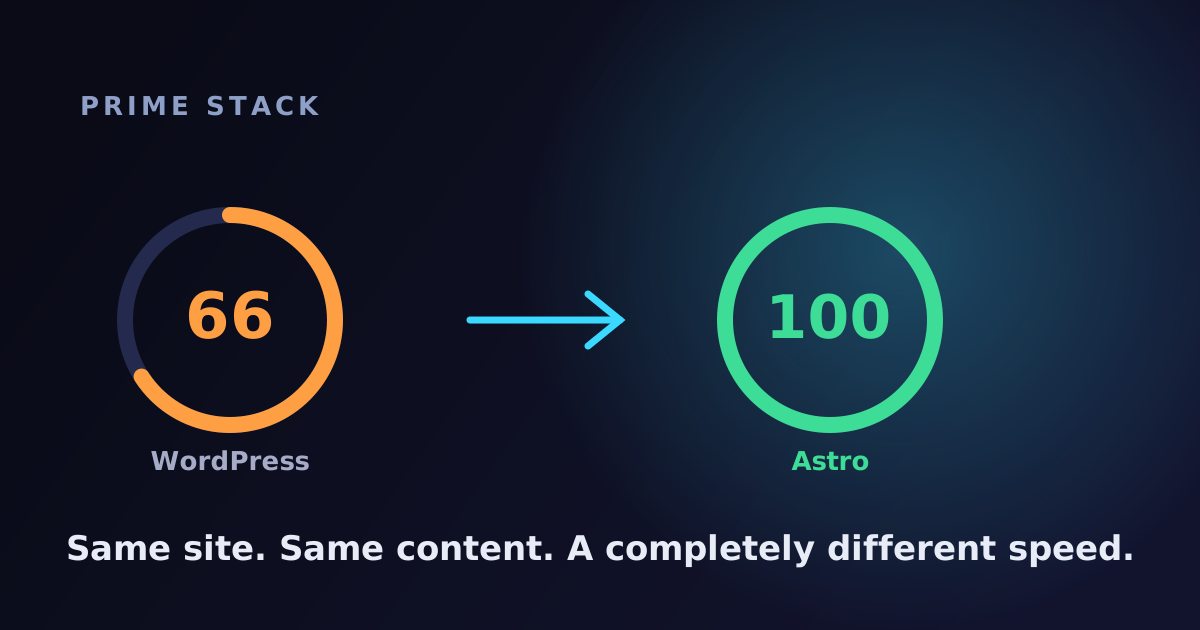
You invested real money in an online store or a business site. It is built on WordPress + WooCommerce + Elementor Pro, like maybe half the sites in the world. You paid extra for good hosting with fast servers, invested in plugins like Elementor Pro, maybe a good SEO plugin, a caching plugin and a few others.
And still, the site loads slowly, it struggles to rank well in search engines, and Google’s official speed test shows a yellow score at best, or even red.
Want to know exactly where your site stands today? Take a digital health report for your site: real speed, real Google ranking, and AI visibility, with a prioritized plan of what is worth fixing first. Get the health report →
Maybe you hired a freelancer to do SEO, and it improved a little, but you know you can get much more out of your site.
A good Google ranking comes from three things combined
- Good, relevant content - for the customer, what they want, need and search for, what keeps them on the site.
- Links from external sites - other sites that vouch for yours.
- A site with good performance - especially from a mobile phone. This is where most fall, and it is the focus of this article.
All three can be summed up in two words: customer experience
Why is good performance so hard to achieve? Have you ever seen a site with a score of 100 across the board? Here is a real test of our own homepage:
By the end of this article you will understand why that is hard with WordPress, and what can be done.
WordPress + WooCommerce + Elementor, what happens behind the scenes?
When someone requests a page from WordPress, there are 4 steps that repeat on every click to a new page:
- Request: the user’s browser asks for a specific URL on your site.
- Processing: the WordPress server runs PHP code, queries the database (MySQL), pulls the content and settings, and loads the plugins.
- Building: the server assembles a full HTML file in real time. Only now is it ready to respond.
- Response: the server sends the finished HTML back to your customer’s browser.
This process takes time, and it adds up:
- The weaker the server, the longer the processing.
- If the server is not near your customers, international routing is slower.
- The more plugins, the more scripts to load and run.
To show how much work the server does before returning a single response, here is a peek at its “internal document” for one product page:
What is the solution?
It splits in two: a solution for a brochure site (any site without a cart and checkout), and a different solution for an online store.
Before we dive in, let us meet, in a few words, the newest technology for sites with rocket performance.
This technology is called Astro
Astro is a modern platform for building exceptionally fast websites. Instead of loading a lot of unnecessary code into the browser, Astro sends the visitor only what is needed. The result: a site that loads faster, gets better scores on Google, and gives a better user experience.
An everyday analogy: imagine ordering a dish at a restaurant. A regular WordPress site brings you the whole kitchen, the utensils and the cooks every time, even if you wanted one dish. Astro brings only the dish you ordered, so it arrives faster.
And when a page is requested from a static Astro site, there are only 2 steps instead of 4:
- Request: the browser asks for a specific URL.
- Direct response: the server or CDN immediately sends the ready-made HTML from cache, with no code to run and no database to query.
Another reason Astro is fast: the images
WordPress serves media files exactly as you uploaded them. A quality PNG weighing 4.8MB is downloaded by the customer as-is, unless you installed a plugin that handles it, and then, ironically, the plugin itself adds load. Astro, by contrast, converts and optimizes every image automatically at build time: it takes the JPG or PNG you uploaded, produces WebP in several sizes, and leaves SVG untouched because it is already light and sharp at any size.
How much can one image’s weight matter? Say a 1920×1080 landscape photo:
| Format | Typical weight |
|---|---|
| PNG | ~4.8 MB |
| JPG (90%) | ~950 KB |
| JPG (80%) | ~420 KB |
| WebP | ~220 KB |
| AVIF | ~140 KB |
The difference can be 20 to 35 times from format alone, and if you also resize the image for a phone screen (where you cannot see it at full size anyway), it can reach up to 100 times.
A note on that last row: these are typical weights at each format’s default settings, not a like-for-like quality comparison. When we measured WebP against AVIF on our own images at matched quality, the gap dropped to 13 to 23 percent, and on screenshots AVIF actually came out heavier. The full measurement, and what it says about each format.
We wrote a whole article about image optimization →Solution for a brochure site
What we do: we rebuild the site in code, on Astro, pixel for pixel. The same design, the same content, the same URLs, just without the WordPress layer. The content becomes static, ready-made files served from a global CDN. If you need a blog, we manage it for you: you send us the content and we publish it, and the monthly plan includes an hour for small changes.
The upsides:
- Speed: a target of 100 across the board, on mobile too.
- Security: no WordPress and no plugins to hack. Peace of mind.
- Zero plugin maintenance and no updates that break the site.
- Savings on plugin subscriptions you no longer need.
- Low upkeep cost, with SEO and GEO built in from the ground up.
- Continuity: we keep the URLs and ranking you already have.
When it is less suitable (honestly):
- If you must edit it yourself every day through a drag-and-drop interface like Elementor. Larger structural changes go through us, which is also the upside: the site does not break. For most brochure sites this is not a drawback, since the content changes rarely.
- If the site is really a complex web app with a lot of dynamic logic, that is a different project.
Solution for a store with a cart and checkout
There is a reason WooCommerce and Shopify are the two most popular store platforms in the world: they work well and have proven themselves for years on stores with tens, hundreds and thousands of products. WooCommerce is also free, as long as you do not buy a ton of plugins. And no less important, their admin (the back office) is convenient, relatively easy to learn, and many business owners have known it for years.
In short, everything the tech world calls the back end works well. The problem, as we saw, is the front end that runs slowly.
The solution is simple: separate them. This is called Headless WooCommerce.
The store management, inventory, cart and checkout all stay as they are in WooCommerce. We rebuild only the code for what the customer sees. On the WordPress side we add a Webhook that updates Astro whenever a product goes up, down or changes, so every page is always current and ready to serve.
Before we start, we measure. We check the existing store and tell you honestly whether the split is worth it. The back office does not change at all. A store built with Elementor can be split too.
The upsides:
- The customer gets ready-made pages from a fast CDN, so the store flies.
- Less load on your server: it no longer builds pages on every request, only serves the cart and checkout.
- The admin stays familiar, no new system to learn.
- Resilience under load: sent a newsletter and traffic arrived? It lands on the edge network, not on your server, and the admin keeps working.
- AI engines read the store better too. On a store we measured, Google’s Agentic Browsing score improved after the split.
- Savings on client-side plugin subscriptions you no longer need (page builder, caching, image optimization).
The downsides (honestly):
- Two systems to maintain, so it is more expensive and more complex than a simple brochure site.
- Not worth it for a very small store, or one that barely sells. Sometimes it is better left as it is.
- Certain plugins that inject UI into the customer side (popups, widgets) need to be reimplemented.
So what now?
If your site or store is slow, or you are building a new one and want it fast from the ground up, this is exactly what we do.